
How to apply for a job in Tanzania
Read the advert first. Then apply the way it says: by email, Ajira Portal, the employer website, or post. Use a PDF CV with your full name on the file.
Jobconnect lists 19 verified Tanzania employers below, with their official careers pages.
Verified Tanzania employers
These are official sources Jobconnect already checks: banks, Ajira Portal, telecom, energy, and development banks. Apply on their own careers page or portal. Jobconnect shows the vacancy; the employer receives the application.
The address bar must match the employer website listed below. Do not apply on a lookalike page from WhatsApp.
Government & Ajira
Apply only on portal.ajira.go.tz. Complete your profile, upload certified PDFs, then submit and save the slip.
Banks
Apply on the official CRDB careers page. Use a PDF CV and follow the vacancy instructions exactly.
Create or update your NMB careers profile, then apply to the exact vacancy. Keep certificates in PDF.
Use the official NBC careers page. Match the job title in your subject line or portal application.
Apply through Stanbic / Standard Bank careers. Tailor your CV to the advertised role.
Follow the official TCB recruitment notice. Read whether to apply online, by email, or by post.
Open the official Uchumi careers page or vacancy PDF and apply exactly as the advert says.
Apply on the official UBA Tanzania careers page. Do not send documents to personal WhatsApp numbers.
Use the official DCB careers page. Attach PDF files named with your full name.
Apply on the official Mwanga Hakika careers page. Create an account if the form asks for one.
Apply through the official I&M Bank BambooHR careers portal.
Development banks
Apply through the official TADB careers page. Show agriculture, credit, or project experience if the role needs it.
Telecom & FinTech
Apply on Vodacom Tanzania careers. Keep a short, role-focused CV and any requested certificates.
Energy
Apply on the official TotalEnergies Tanzania careers page. Safety and HSE evidence matters.
Employer
Open the official Kagera Sugar vacancy PDF and follow the application instructions exactly.
Apply on the official CNS Group career portal for the exact vacancy.
Apply on the official Rotana careers application page for the posted role.
Apply on the official Jhpiego careers apply page for the exact vacancy.
Apply on the official AngloGold Ashanti Tanzania careers listing.
Apply by email
Use this when the advert gives a recruitment email such as careers@... or recruitment@.... Follow every step below, from reading the advert to checking Sent. Do not send the same email to a personal Gmail or WhatsApp number that is not in the advert.
Read the advert and copy the official email
Open the vacancy on Jobconnect. Copy the recruitment email, the exact job title, and any reference number. That address goes only in To.
Prepare the PDF files first
On your phone or computer, save the files with your full name before you open Gmail. Open each file once to confirm it is not empty or password-locked. Use CV Builder and the Cover Letter Generator if you still need those files.
If the advert says “single attachment”, “one PDF”, or “combine all documents”, merge everything into one file. Keep this page order so HR can read it without opening many files:
- Signed cover letter
- CV
- Academic certificates (highest qualification first)
- Transcripts
- NIDA or birth certificate
- Any extra paper the advert named (licence, registration, referee letters)
Name it with your name and the job title. Keep it under 2 MB unless the advert allows more. Do not password-lock it.
If the advert lists separate files, or a portal with upload slots, do not merge. Then attach:
Open Gmail or Mail
On a computer, open mail.google.com and sign in. On a phone, open the Gmail or Mail app.
Click Compose
On the left, click the blue Compose button. A New message box opens. On a phone, tap the Compose pencil.
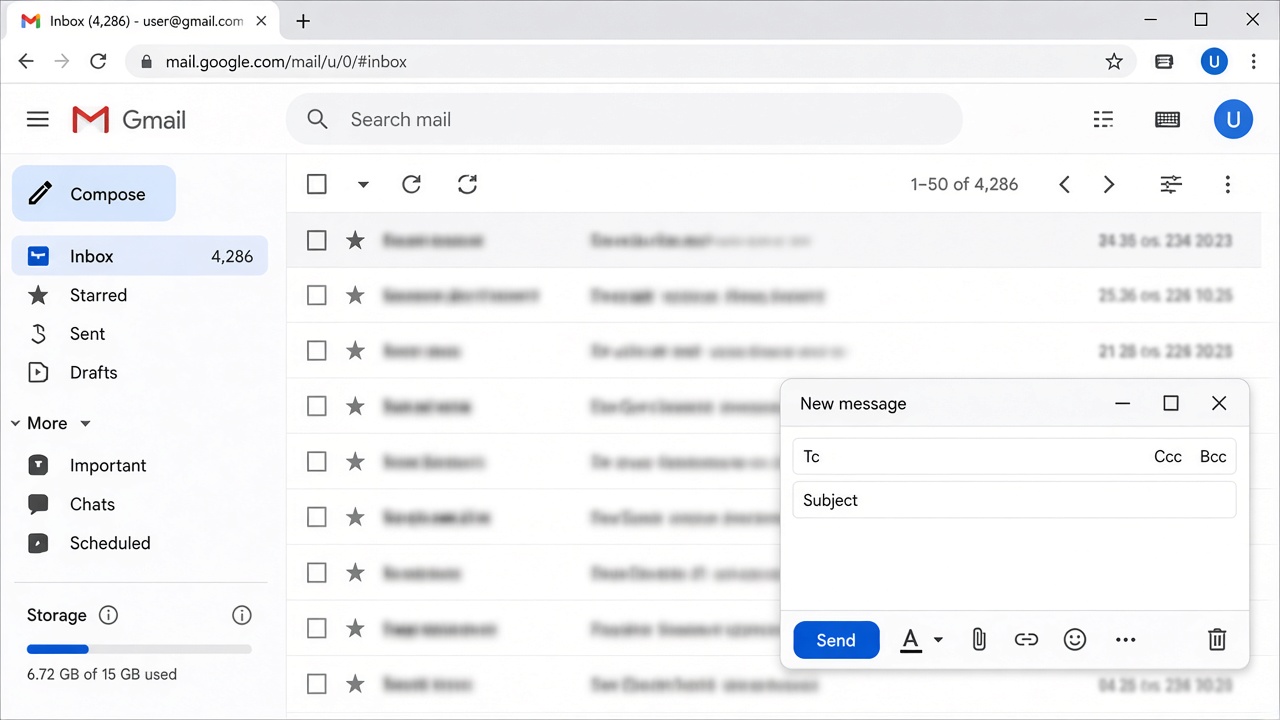
Type the recipient in To
Click To and paste the email from the advert. Leave Cc empty unless the advert names a second address. The example below is not a real inbox.
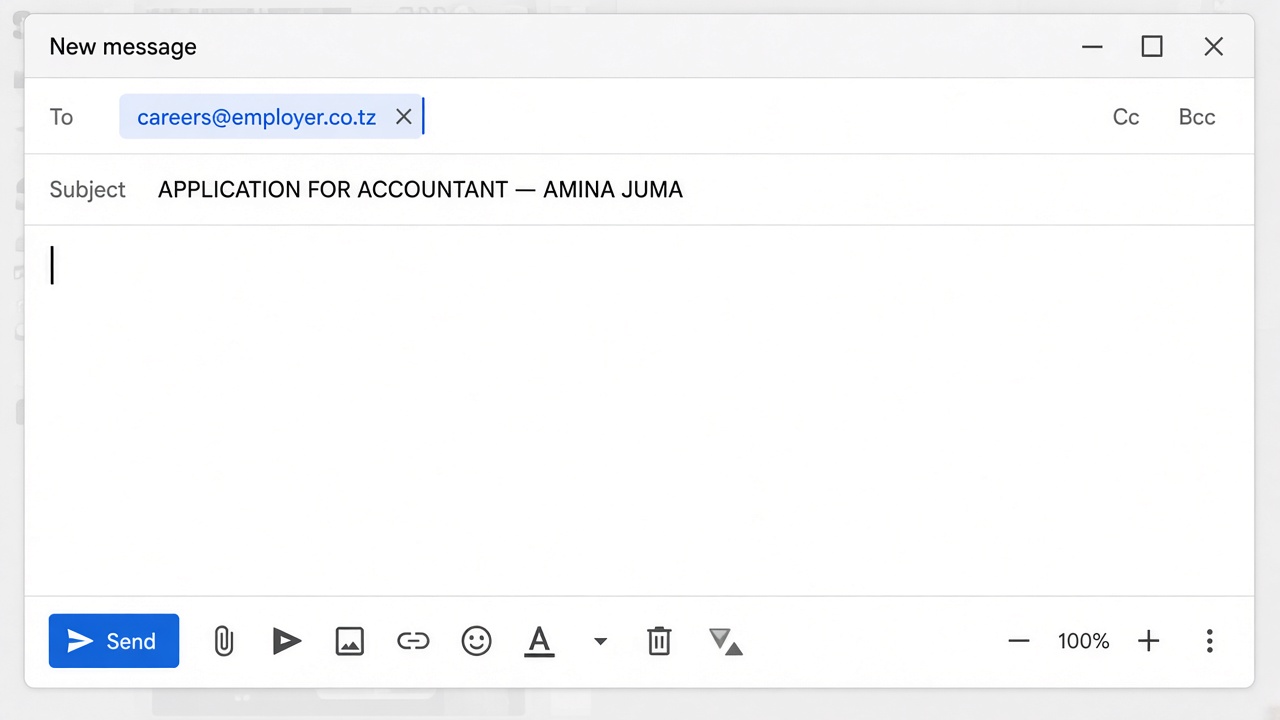
Type the Subject
Click Subject. Use the job title and your full name. Add the reference number if the advert has one.
YAH: MAOMBI YA NAFASI YA DEREVA — JUMA HAMISI — REF VAC/2026/08
Attach the PDF files
At the bottom of New message, click the paperclip. Attach the one combined PDF if the advert asked for a single file. Otherwise attach the separate PDFs from step 2. On a phone, tap Attach, then Files or Drive.
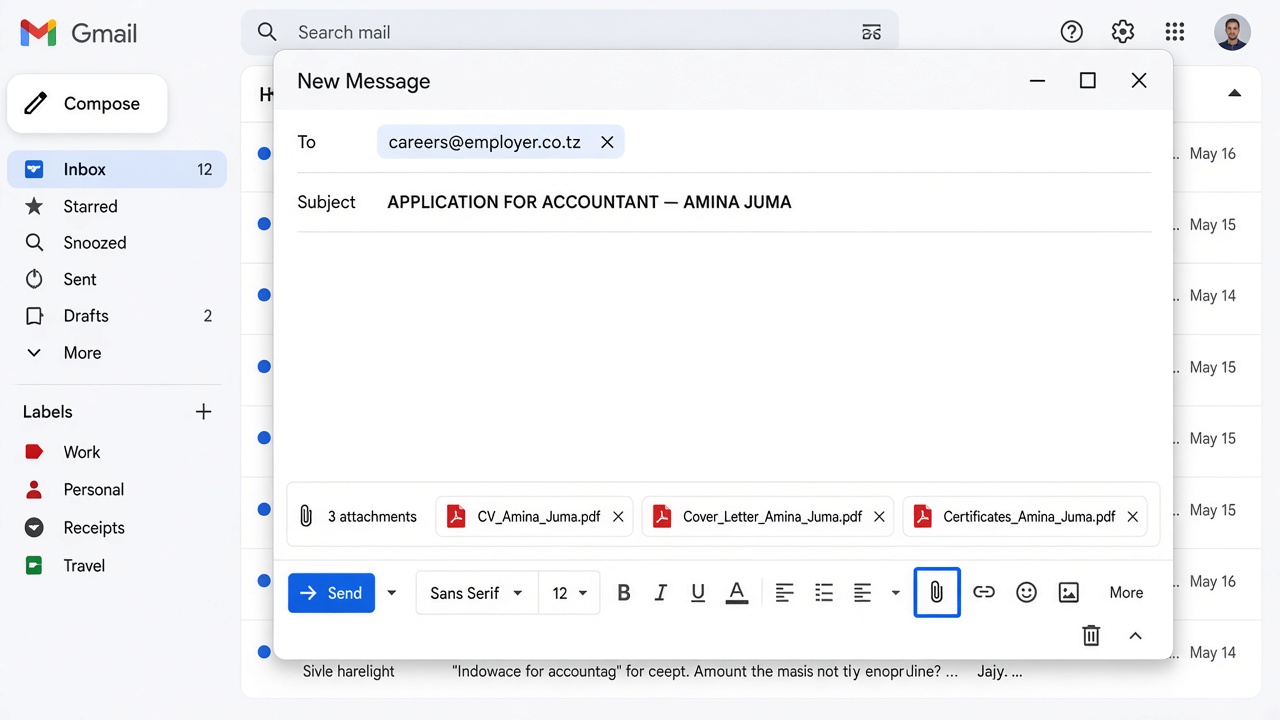
- 1Click the paperclip once. Do not take a photo of the documents unless the advert asks for that.
- 2Select the combined PDF, or every required separate PDF. Wait until each file name appears under the message.
- 3If Gmail says the file is too large, compress it or send only what the advert listed.
Write the short message
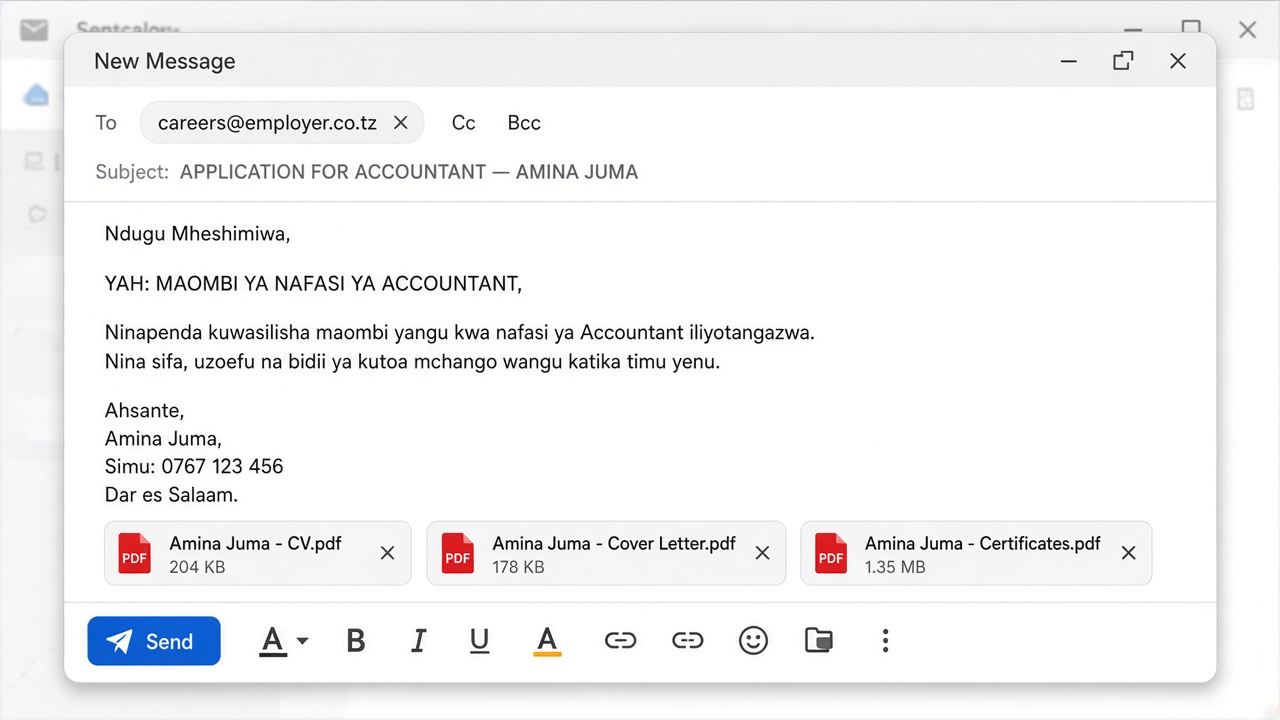
Click the empty area under Subject. Paste this text, then change the job title, name, phone, and town.
YAH: MAOMBI YA NAFASI YA [JOB TITLE]
Kwa heshima naomba kuwasilisha maombi yangu kwa nafasi iliyotangazwa. Nimeambatanisha faili moja la PDF lenye barua, CV, na vyeti vilivyopangwa kwa mpangilio.
Ahsante.
[Your full name]
[Phone] · [Town, Tanzania]
Check once, then click Send
Confirm To, Subject, the attachment (one combined PDF or the separate files), and your phone number. Then click the blue Send button. Do not pay anyone.
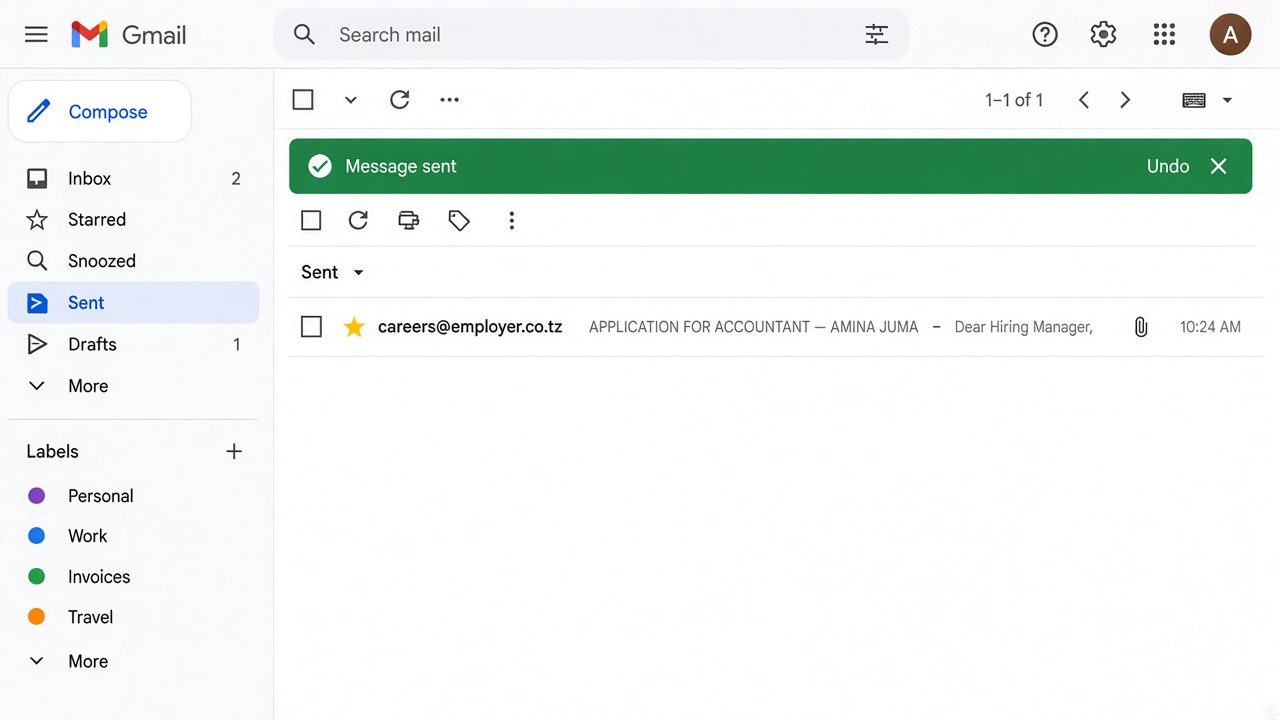
Open Sent and keep a copy
On the left, click Sent. Open the same email and check the attachments are still there. Screenshot it on your phone. That is your proof you applied.
Apply on Ajira Portal (PSRS / Utumishi)
Public service jobs go through portal.ajira.go.tz. Emails sent instead of the portal are usually ignored.
- 1Open the official view-advert page from Jobconnect or Ajira. Check the address bar says portal.ajira.go.tz.
- 2Click Apply Now only after your profile and certified PDFs are complete.
- 3Keep the slip or reference number. That is your proof, not an email you sent.
Names as on NIDA, Form IV/VI, diploma or degree, work history, and referees.
Certificates, transcripts, NIDA or birth certificate. Each file under 2 MB. Result slips are not enough.
Age, education, and professional registration (NBAA, ERB, MCT, and others) before you click Apply.
Keep the application reference number. Open Application Guider if you want a document checklist.
Use Jobconnect, then apply on the official channel
Open the vacancy, read the requirements, then use Application Instructions or Apply Here. That button sends you to the employer email, Ajira, or careers page — not to a payment form.
Accountant at a verified Tanzania employer
Send a PDF CV and cover letter to the recruitment email shown in the advert. Deadline: 18 September 2026.
- 1Application details stay on the page — read them before you tap anything.
- 2Apply Here opens the official email, Ajira advert, or employer website. Jobconnect does not collect a fee.
- Read the full advert and deadline.
- Open Application Guider if you want the channel, subject line, and document list.
- Prepare your CV in CV Builder.
- Submit on the official channel shown in the advert.
Apply by post or hand delivery
Use this only when the advert gives a P.O. Box or registry office. Sign the cover letter in ink.
TZ
[EMPLOYER NAME],
P.O. BOX [NUMBER],
[TOWN], TANZANIA.
- 1Recipient — the office named in the advert, then the P.O. Box and town.
- 2RE / subject — same job title and reference on the envelope and on the first line of the signed letter.
[EMPLOYER NAME],
P.O. BOX [NUMBER],
[TOWN], TANZANIA.
RE: APPLICATION FOR [JOB TITLE] — REF [NUMBER]
Put the signed letter first, then the CV, certified certificates, and NIDA copy. Add photos only if the advert asks.